Best Crossbody Bag for Women With a Laptop (Yes, a Crossbody Can Actually Fit One)
Somewhere along the way, we all accepted the idea that carrying a laptop means carrying a tote or a backpack. No exceptions. The laptop goes in the big bag, the big bag goes over one shoulder or both and that's just how commuting works.
But what if it didn't have to? A crossbody bag with a laptop compartment sounds like a contradiction. Crossbodies are supposed to be small, light and close to your body. Laptops are flat, rigid and take up real space. The two don't seem like they belong together. Except they do, when the bag is actually designed for it.
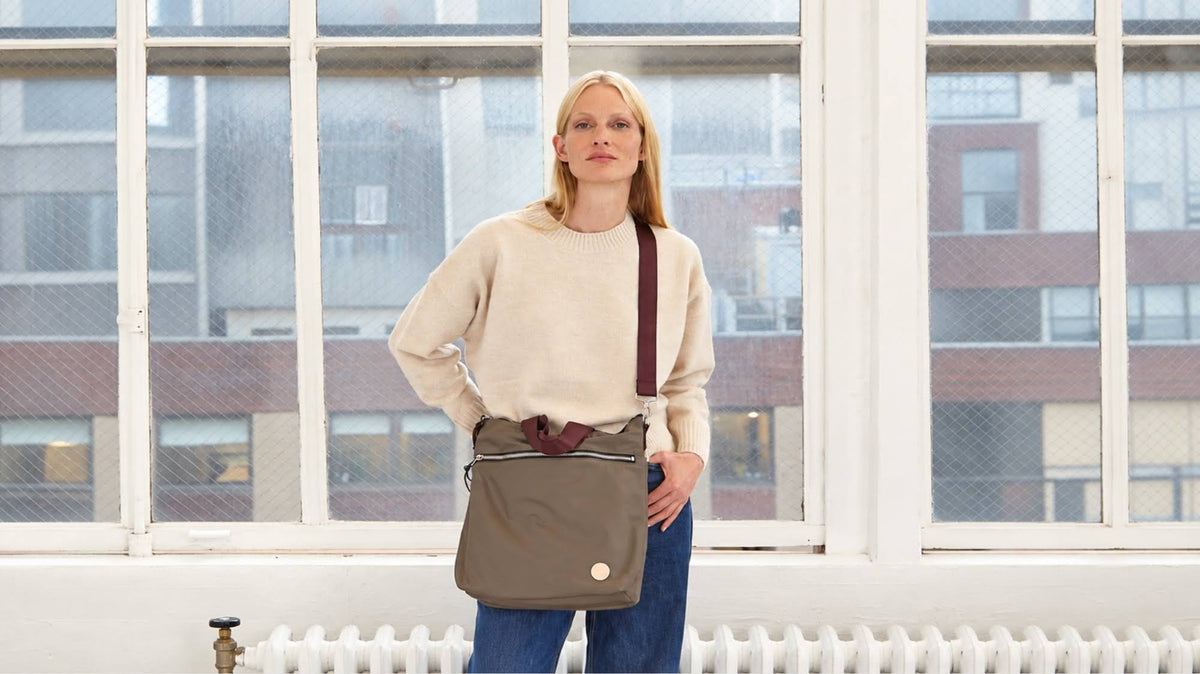
The truth is that most crossbody bags for women aren't built to hold a laptop because most brands don't even try. They assume you'll buy a separate bag for that. shortyLOVE took a different approach. The wonder is a full-size crossbody that fits a 14-inch laptop alongside your daily essentials, all while sitting flat against your body with an adjustable strap. It's the laptop-ready crossbody that actually works for a real commute.
Here's how to figure out whether a crossbody can replace your laptop tote, what to look for and which format makes the most sense for how you carry.
Why Most Women Default to a Tote or Backpack for Laptop Carry
The reflex makes sense on the surface. Totes are roomy. Backpacks distribute weight across both shoulders. Both formats have been the go-to for laptop carry for years and the bag industry has reinforced that by putting padded laptop sleeves in totes and backpacks while ignoring crossbodies entirely.
But those formats come with trade-offs most people don't think about until they're standing on a crowded train or walking through an airport:
- Totes sit on one shoulder: They slide, they shift and they leave one hand occupied adjusting the strap. A heavy tote with a laptop inside can dig into your shoulder within twenty minutes.
- Backpacks require a full dismount: Need your phone? Your wallet? Your boarding pass? You're pulling the whole bag off your back every time.
- Neither stays close to your body: A tote swings. A backpack sticks out behind you. In crowded spaces, both are more vulnerable than a crossbody that sits flat against your torso.
A laptop-friendly crossbody solves all three problems. It stays put, it keeps your hands free and it gives you quick access to everything without removing the bag.
What to Look for in a Crossbody Bag With Laptop Compartment
Not every crossbody can handle a laptop. Most are too small, too shallow or too flimsy. Before buying, check these five things:
| Feature | What to look for | What to avoid |
|---|---|---|
| Compartment size | Fits your specific laptop with at least half an inch of clearance on each side | "Fits a laptop" with no dimensions listed |
| Padding | Dedicated padded sleeve or structured interior that buffers the laptop from keys and bottles | Single open cavity with no separation |
| Strap width | Wide, adjustable strap that distributes weight without digging | Thin chain or narrow webbing |
| Closure | Full zip that seals the top completely | Open top or magnetic snap |
| Access points | Back slip pocket or exterior pocket for phone and transit card | Everything behind one zipper |
The wonder from shortyLOVE checks all five. It measures 15.5 inches tall by 14 inches wide by 5.5 inches deep. That's enough room for a 14-inch laptop plus a charger, notebook, wallet, phone and a water bottle. The back slip pocket keeps your phone accessible without opening the main compartment. And the adjustable crossbody strap lets you dial in the fit so the bag sits exactly where you want it.
Crossbody vs Tote vs Backpack: Which Format Fits Your Laptop Day?
The right format depends on what you carry, how far you walk and whether you need your hands free. Here's how the three main options compare:
| Factor | Crossbody | Tote | Backpack |
|---|---|---|---|
| Hands-free carry | Yes. Strap sits across your body | No. One shoulder, one hand adjusting | Yes. Both shoulders |
| Laptop access | Quick. Unzip from the front | Quick. Reach in from the top | Slow. Remove bag, unzip, reach in |
| Weight distribution | Diagonal across torso | One shoulder bears all weight | Even across both shoulders |
| Best laptop size | Up to 14 inches | Up to 15 inches | Up to 15 inches |
| Bulk | Low. Sits flat against your body | Medium. Swings at your side | High. Protrudes behind you |
| Best for | Commutes, travel days, meetings on the move | Heavy office days, full-day packing | Long walks, cycling, hands-free all day |
When a crossbody is the right call for laptop carry
Choose a crossbody when you're commuting by transit, walking between meetings, traveling through airports or spending a day where you need both hands and your laptop. The crossbody format works best when your laptop is 14 inches or smaller and your total carry is focused rather than maxed out.
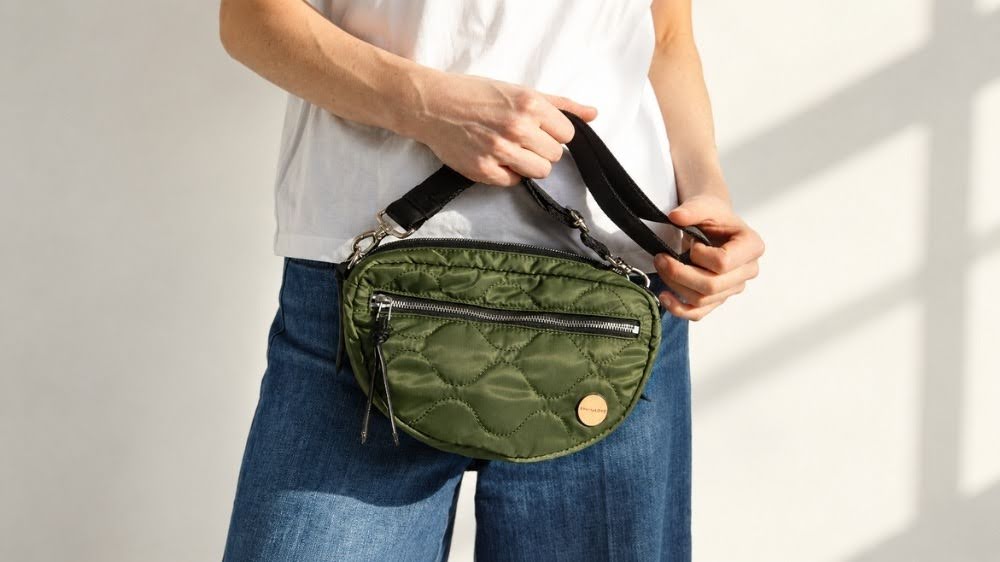
The wonder handles this scenario better than any crossbody on the market. It fits a 14-inch laptop in a structured interior, comes in 10 colorways and weighs under a pound empty. For days when you're leaving the laptop at home, the amuse scales the same crossbody format down to phone-wallet-sunglasses carry at just 0.85 lbs (0.39 kg).
When a tote makes more sense
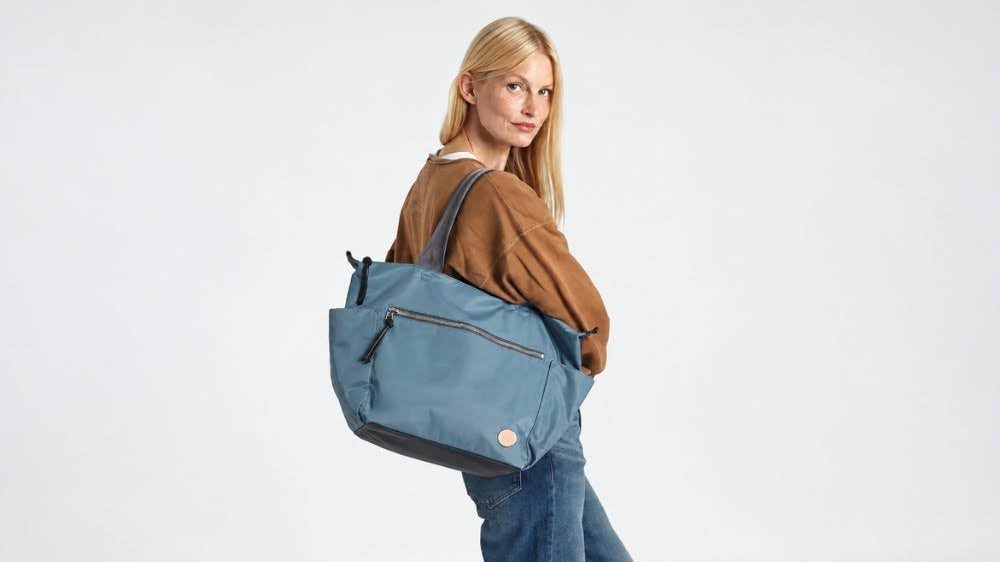
If your laptop is 15 inches, you're carrying a full day's worth of supplies or you need to fit a change of clothes alongside your work gear, a laptop tote for women is the better pick. The ranger fits a 15-inch laptop in a dedicated padded pocket, adds a trolley sleeve for travel days and includes both tote handles and a crossbody strap so you can switch carry styles. The tillie offers a padded laptop pocket in a plush nylon twill tote with two deep side pockets for water bottles and a zip-top closure that keeps everything sealed.
When a backpack is the answer
Long commutes with walking, cycling or transit transfers call for two-strap carry. A backpack distributes the weight of a laptop and a full day's kit across both shoulders and your back, which matters on walks over twenty minutes. The boxer fits a 15-inch laptop with a separate bottom compartment for shoes or gym clothes. The tate brings the same 15-inch laptop capacity in a quilted nylon finish with two water bottle pockets and a trolley sleeve.
How to Pack a Crossbody for Laptop Carry
Packing a crossbody for laptop carry is different from packing a tote. Space is tighter, so placement matters:
- Laptop goes against your back: Position it in the compartment closest to your body. This keeps the weight centered and the bag sitting flat.
- Charger and cables next: Tuck them beside the laptop or in a zip pocket so they don't press against the screen.
- Wallet and keys in the main compartment: They're small enough to share space without creating bulk.
- Phone in the back slip pocket: You'll reach for it constantly. Don't bury it behind a zipper.
- Skip the extras: A crossbody built for laptop carry works best when you carry what you need and nothing more. The gym clothes and extra shoes belong in a separate bag or a backpack.
The goal is a flat, balanced carry. If the bag bulges or swings when you walk, you've packed too much for the format.
The Bottom Line on Crossbody Bags for Women Who Carry Laptops
The idea that laptops require a tote or a backpack is outdated. A well-built crossbody bag with laptop compartment gives you hands-free carry, quick access and a flat, body-close fit that bigger bags simply cannot match. For laptops up to 14 inches, it's the smarter format for commutes, travel and days spent moving between meetings. For 15-inch laptops or heavier loads, a laptop tote for women or a backpack picks up where the crossbody leaves off.
Ready to see which format fits your carry? Browse the full crossbody bags for women collection to find your fit, or explore the full shortyLOVE lineup to compare crossbodies, totes and backpacks side by side.
Frequently Asked Questions
Can a crossbody bag really fit a laptop?
Yes. A crossbody that's built for the job can fit a laptop up to 14 inches comfortably. The key is dimensions. Most crossbody bags for women are designed for phone-and-wallet carry, which is why the assumption persists that they can't handle a laptop. But a bag like the wonder from shortyLOVE measures 15.5 inches tall by 14 inches wide, which is more than enough room for a standard work laptop plus a charger and daily essentials.
What size laptop fits in a crossbody bag?
Most crossbody bags with laptop compartments max out at 13 to 14 inches. Measure your laptop (including the bezel) and compare it to the bag's interior dimensions before buying. If your laptop is 15 inches or larger, a tote or backpack with a dedicated padded laptop pocket is the safer choice.
Is a crossbody bag better than a tote for commuting with a laptop?
For most commutes, yes. A crossbody sits flat against your body, keeps both hands free and doesn't slide off your shoulder on crowded trains or buses. A tote gives you more room but requires one hand to manage the strap and swings when you walk. If your total carry is a laptop, charger, phone, wallet and a few small essentials, a laptop crossbody handles it with less bulk and more comfort than a tote.
What should I look for in a crossbody bag with laptop compartment?
Five things matter most. First, a compartment that fits your specific laptop size with slight clearance. Second, padding or structure that protects the laptop from impact. Third, a wide and adjustable strap that distributes weight without digging into your shoulder. Fourth, a full zip closure. Fifth, at least one exterior or back pocket for quick access to your phone without opening the main compartment.
Can I use a laptop crossbody for travel?
Absolutely. A laptop-ready crossbody is one of the best formats for airport and transit travel because it stays on your body, keeps your hands free for tickets and boarding passes and sits flat under a jacket in crowded terminals. Pair it with a rolling suitcase and you've got a streamlined two-bag setup that gets you through security faster than a tote-and-backpack combo.
What's the best bag format for a 15-inch laptop?
For a 15-inch laptop, a tote or backpack with a dedicated padded laptop pocket is the most practical choice. The ranger from shortyLOVE fits a 15-inch laptop in a quilted tote with crossbody strap options, while the tate and boxer offer backpack formats with padded 15-inch laptop compartments. A laptop crossbody works best for laptops up to 14 inches where you want the body-close fit and hands-free carry.

Written by sloane grossberg